Gaming Rigs Have No Place in a Small UK Office: Buy a Business Mini-PC Instead

Photo: United States Small Business Administration, Public domain, via Wikimedia Commons
Every few weeks someone asks whether a gaming desktop can double as an office PC. The answer is yes, technically. It will run Word, email and Teams. But for a small UK office buying machines for staff, a gaming tower is usually the wrong purchase. Not because gaming PCs are bad, but because they are built to solve a different problem.
I am not arguing that every office needs a boring beige box. I am arguing that the priorities are different. Offices need low downtime, predictable support, quiet operation, manageability and a warranty that covers the whole machine. Gaming desktops are built around frame rate, upgradeability and looks. Those goals overlap less than the spec sheet suggests.
The warranty trap
A £700 gaming PC from a high-street retailer often comes with a one-year return-to-base warranty, or a two-year guarantee that sends you back to the shop. The components inside may have longer manufacturer warranties, but you are the one diagnosing the fault, removing the part and dealing with the supplier. For a consumer, that is an inconvenience. For a small business, it is lost billing time.
Business-class mini-PCs and workstations usually come with three years of next-business-day onsite support. That means an engineer comes to the office, or a replacement arrives quickly. Some vendors offer accidental damage cover, imaging services and a fixed lifecycle. That matters when the machine runs payroll or the shared inbox.
There is also a legal difference. If a company buys a gaming PC, it may not have the same consumer protections as an individual buying for domestic use. Business-to-business contracts can limit remedies. Check the terms before assuming the Consumer Rights Act gives you the same leverage.
Windows 11 Pro is not a tick-box
Many gaming prebuilts ship with Windows 11 Home. Home is fine for a home. Pro adds BitLocker device encryption, Remote Desktop host, domain join, Entra join, Group Policy, Hyper-V and Windows Update for Business. For a small firm without a full IT team, BitLocker alone is worth having on laptops and desktops that leave the office or hold client data. Remote Desktop is useful for the one person who needs to access the office machine from home.
You can upgrade Home to Pro, but that costs money and adds another licence to track. Business machines usually ship with Pro as standard, and the OEM licence is tied to the hardware in a way that is simpler to manage. If you are buying five PCs, that difference adds up.
Noise, heat and desk space
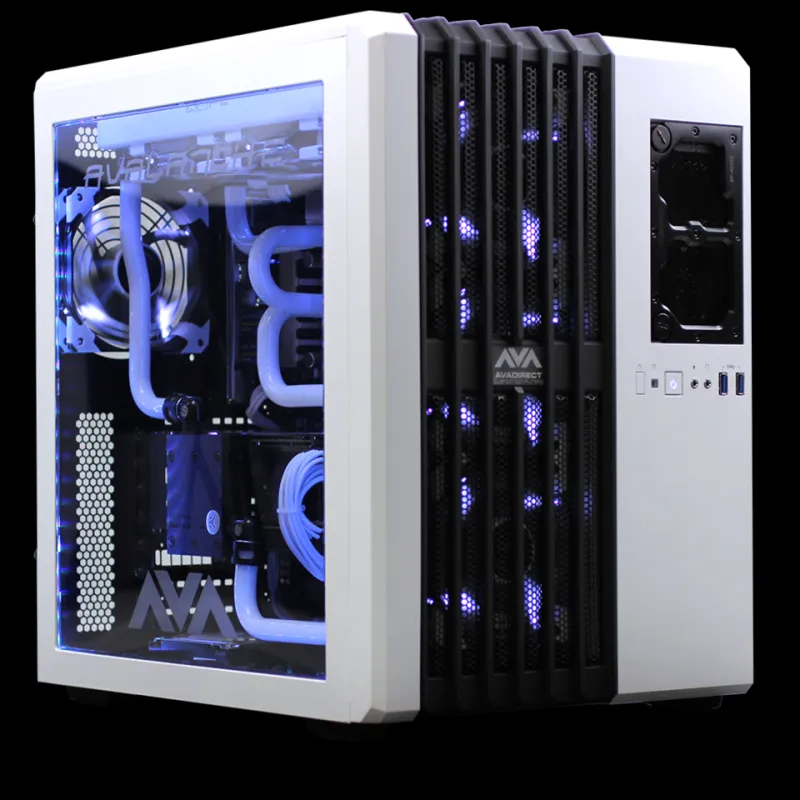
Gaming towers are designed to move a lot of air. That means more fans, more noise and more dust. In a quiet office, a tower with a glass side panel and RGB lighting is a distraction. It also takes up floor or desk space that a mini-PC can free up by mounting behind a monitor.
A business mini-PC with a 35W or 65W processor is quieter and cooler for spreadsheets, email and video calls. It will not game well, but that is not the job. If someone needs light CAD or photo editing, a small workstation with a professional GPU is a better fit than a gaming tower with a consumer graphics card.
Energy costs under UK tariffs
The energy difference is not dramatic for one machine, but it is real. A gaming PC with a discrete GPU might draw 60-90W at idle and 250-350W under load. A business mini-PC might draw 10-20W at idle and 35-65W under load. At a UK tariff of around 25-30p per kWh, an eight-hour day over 250 working days makes a difference of roughly £25-£45 per PC per year for the idle gap alone. With six PCs, that is a few hundred pounds over three years. It is not the main reason to choose business kit, but it is part of the total cost.
Support and lifecycle
Gaming PC support is often aimed at consumers. You get a web form, a phone queue and a script. Business support is not always brilliant, but it is usually built around service level agreements, replacement parts and driver stability. Business vendors also tend to keep the same model available for longer, which makes it easier to buy identical machines for a team and keep spares.
Look for vPro or AMD PRO on the CPU, TPM 2.0, a wired Ethernet port, Wi-Fi 6E or 7, and at least one DisplayPort and HDMI output. Those are boring features. Boring is good in an office.
What to buy instead
For general office work, a mini-PC with a Ryzen 5 or Core i5, 16GB of RAM, a 512GB SSD and Windows 11 Pro is the sweet spot. Budget £450-£600 per machine with a three-year onsite warranty. For heavy spreadsheets, accounting software or multitasking, go to 32GB of RAM and a 1TB SSD. For light CAD or design, choose a small workstation with a supported professional GPU and check the software vendor's certification list.
| Workload | Minimum | Sensible |
|---|---|---|
| Email, docs, Teams | 16GB RAM, 512GB SSD, Ryzen 5/Core i5 | 16GB RAM, 1TB SSD, Ryzen 7/Core i5 |
| Accounting and big spreadsheets | 16GB RAM, 1TB SSD | 32GB RAM, 1TB SSD, Ryzen 7/Core i7 |
| Light CAD or photo editing | 32GB RAM, 1TB SSD, certified GPU | 32GB RAM, 2TB SSD, workstation GPU |
The exceptions
If the office is a games studio, a 3D rendering shop or a video editing house, you may need serious GPU power. Even then, buy a workstation with a certified card and a business warranty, not a RGB tower from a gaming retailer. If the budget is absolutely fixed and one machine has to do both work and play, build a business-like PC: quality PSU, quiet case, Windows 11 Pro, no glass, and a warranty you understand.
For everyone else, the advice is simple. Buy the boring machine. Buy the warranty. Buy the quiet mini-PC with Pro and onsite support. Your staff will not thank you for the RGB, but they will thank you when the machine does not sound like a hairdryer and someone fixes it next day.