The 1TB NVMe Drive That’s Fast Until You Ask It to Write Something Big
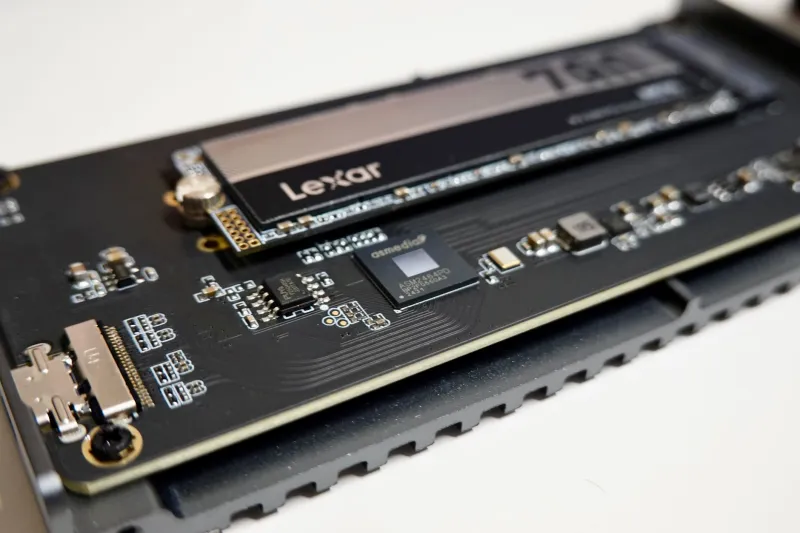
A 1TB NVMe drive for under £50 is one of those PC upgrades that feels almost too good to pass up. The listing says 3,500MB/s, the box has a swoosh on it, and the basket total is less than a decent night out. For a lot of UK buyers, that is the whole decision. The drive goes in, Windows boots quickly, CrystalDiskMark shows a big number, and everyone is happy — until the machine has to write a serious amount of data in one go.
That is where the cheap-drive trap opens up. Plenty of budget 1TB NVMe models are fine for reading data and fine for light use. The problem is sustained writes: the long, boring, real-world kind that happen during a Windows feature update, a Steam download that needs unpacking, a large OneDrive sync, or copying a folder of client files across from an old machine. The first few gigabytes may fly. The rest can feel like a USB stick from 2012.
The benchmark number is not the whole drive
Most retail listings lead with sequential read speed. It is easy to measure, easy to market and almost meaningless on its own. A drive can post 3,200MB/s reads and still have a sustained write performance that collapses once its write cache is full. That matters because Windows updates and game installs are not polite little read tests. They write a lot of data, often while the drive is already fairly full.
The technical reason is usually a combination of three things: a DRAM-less controller, QLC NAND, and a small or dynamic SLC cache. None of these automatically makes a drive bad. They make it cheaper to build, and they make the drive’s behaviour much more dependent on how much you are writing and how full it is.
DRAM-less does not mean useless — but it does mean compromises
A DRAM-less SSD lacks a dedicated chunk of memory for the controller to keep track of where data lives. Instead, it uses Host Memory Buffer, borrowing a small amount of system RAM. Done well, this is perfectly acceptable for a secondary drive or a light-use office PC. Done cheaply, and combined with slow NAND, it can lead to stutters and slower response times when the drive is busy.
For a boot drive in a machine you rely on, that is worth thinking about. A drive that feels snappy on the desktop can become a bottleneck the moment Windows decides to unpack a cumulative update while you are trying to open a spreadsheet. It is not a catastrophic failure. It is just an annoying, recurring tax on your time.
QLC NAND and the SLC cache cliff
QLC NAND stores four bits per cell, which helps manufacturers cram more capacity onto cheaper chips. To keep performance usable, these drives write incoming data to a faster SLC cache first. While that cache has room, the drive looks quick. Once it fills, writes drop to the underlying QLC speed — sometimes well below 200MB/s, and in poor designs closer to hard-drive territory.
The catch is that the cache is often dynamic. It may be large on an empty drive and shrink as the drive fills. A 1TB drive that behaves well at 20% full can feel very different at 80% full. UK buyers rarely see that in a product page. They see a big read number and a low price.
TBW, warranty and the UK marketplace question
TBW — terabytes written — is the endurance rating. A cheap 1TB drive might be rated for 200TBW to 400TBW, while a better TLC model may be rated for 600TBW or more. For normal desktop use, even a lower rating can last years. But TBW is also a useful signal of how the manufacturer expects the drive to be used. A suspiciously low rating on a drive marketed for heavy workloads is a red flag.
Warranty matters too, especially when buying through a marketplace seller. Check who handles the claim in the UK. A five-year warranty is only reassuring if you are not posting the drive to another country at your own cost. Look for a seller with a UK returns address and a clear policy. If the listing is vague about the brand, the model number or the warranty handler, that is not a bargain — it is a gamble.
A practical 2026 UK buying checklist
Start with the job. A boot drive for a family PC or small office machine should prioritise consistent behaviour, not the biggest sequential read figure. A secondary game library can get away with a cheaper drive because most of its life is spent reading. A drive used for video editing, large client archives or regular virtual machines should not be the cheapest 1TB model in the basket.
Look for reviews that test sustained writes after the cache is exhausted, not just CrystalDiskMark. Check whether the drive uses TLC or QLC NAND, and whether the controller has DRAM or relies on HMB. Look at the TBW rating and warranty length. Check the seller and returns address. And if the price is dramatically lower than every recognised brand, assume something has been trimmed — because it has.
Finally, leave some space. Any SSD slows down as it fills, and cheap drives slow down more sharply. Keeping 15–20% free is cheaper than replacing a drive that has become a chore to use. The right 1TB NVMe drive is not necessarily the fastest one on the page. It is the one that still behaves like an SSD when the big write arrives.